GitHub Userscripts
Install
GitHub PullRequests Plusv0.4.0
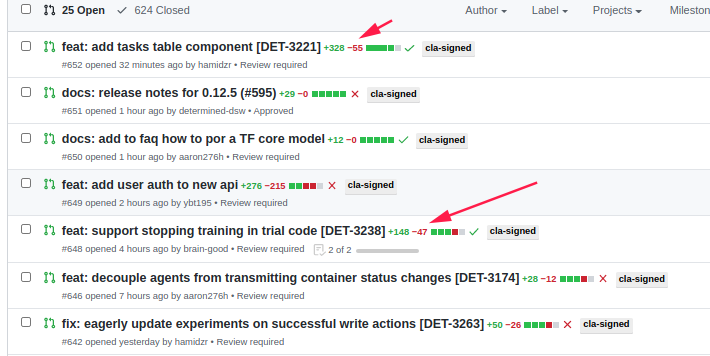
Display diff stats next to each pull request in the list view
GitHub Status Checksv0.1.1
Reorder GitHub PR status checks so failures appear first
Userscripts run in a userscript manager such as Tampermonkey, Violentmonkey, or ScriptCat. With one installed, Install opens its install prompt.
Two userscripts for GitHub pull requests: one puts failing status checks first, the other shows additions and deletions next to each pull request in lists.
GitHub Status Checks
Reorders pull request status checks so failures and in-progress items appear first.
- order: failed, in progress, unknown, pending, skipped, completed, then passed
- runs on pull request pages and waits for more than five checks to load before the first reorder
- re-checks the order every 3 seconds, so checks that change state move into place
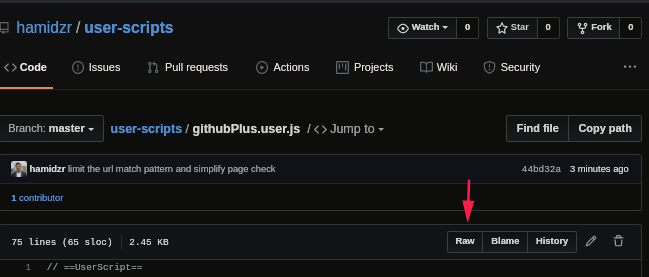
GitHub PullRequests Plus
Adds per-pull-request additions and deletions next to links in pull request lists.
- shows
+additions -deletionsafter each pull request link in the list view - makes one request per listed pull request to its files page, once per page load
- runs on repository pull request lists and pull request pages
Questions or feedback about GitHub Userscripts? Get in touch.
Support
Find GitHub Userscripts useful?
GitHub Userscripts has no paywall. A tip helps keep it running and pays for what we build next.
Checkout opens on Stripe, where you can change the amount. Why tips?
Related products
Rewrites Zoom meeting links in Google Calendar so clicking one opens the Zoom desktop app directly instead of a browser tab that then launches Zoom.
1 userscript
Two userscripts for Google Meet calls: one turns off your microphone and camera when you join, the other offers to leave once the call empties out.
2 userscripts
Shows the newest login or verification code from Google Messages for web in a small floating card, so you can copy it with one click.
1 userscript