Monarch Money Userscripts
Install
Monarch Bulk Selectv1.1.1
Shift-click transaction checkboxes in Monarch and export selected transactions
Monarch Holdings Exportv1.1.0
Add an Export CSV button to the Monarch investment holdings page
Userscripts run in a userscript manager such as Tampermonkey, Violentmonkey, or ScriptCat. With one installed, Install opens its install prompt.
Two userscripts for Monarch Money: shift-click to select and export many transactions at once, and export your investment holdings to CSV.
Monarch Bulk Select
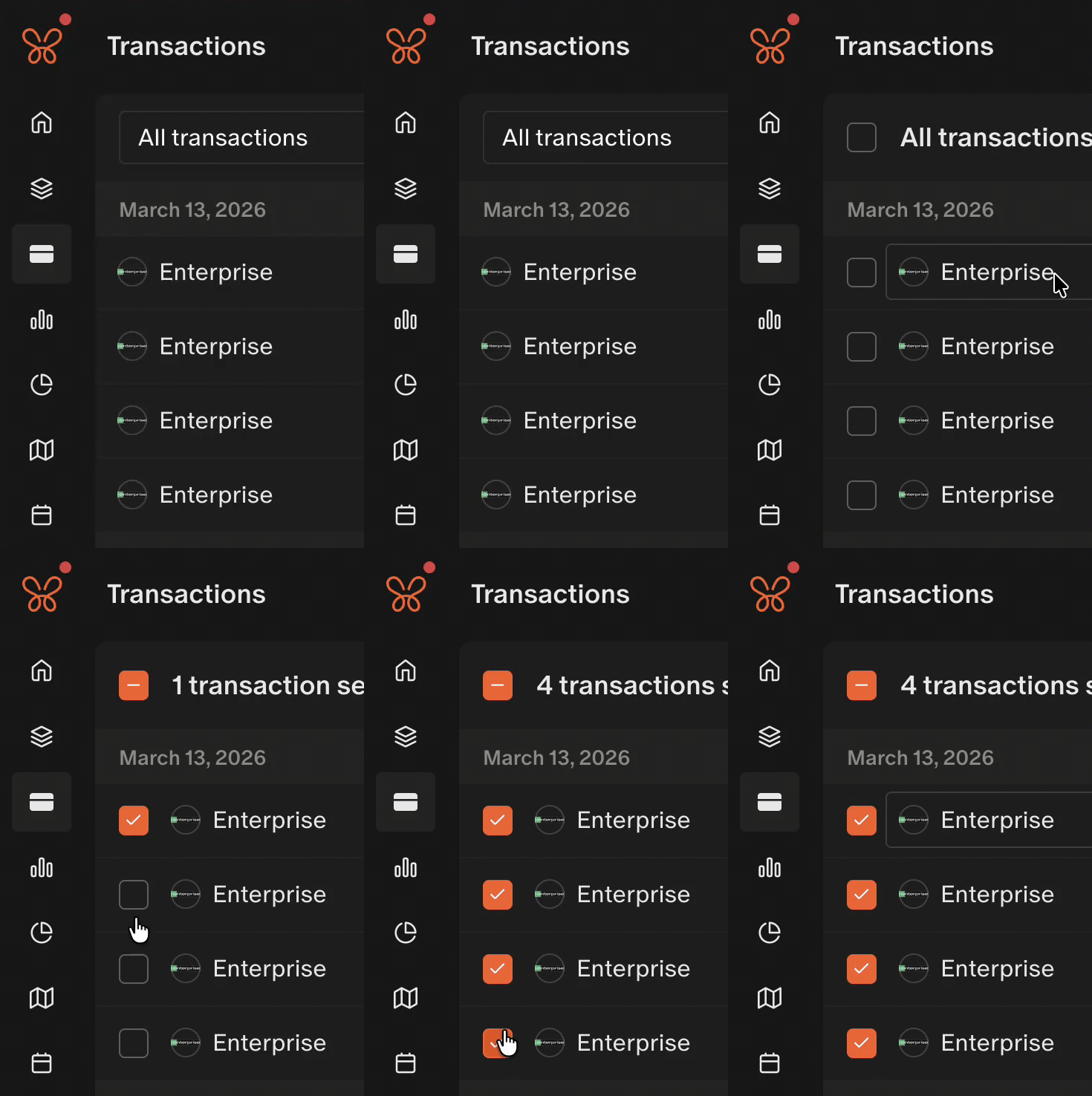
Adds shift-click range selection and CSV export to the transactions list.
- Shift-click a transaction checkbox to select or clear everything between it and the previous click. The range takes the state of the box you shift-click.
- While transactions are selected, a Download CSV button appears in the bulk-action header.
- The export scrolls the virtualized list to collect every selected row, then restores your scroll position.
- CSV columns: date, merchant, category, account, amount, and list_index (the row position in the list).
- File name:
monarch-selected-transactions-YYYY-MM-DD.csv. - If fewer rows are found than the selected count, an alert reports how many were exported.
Monarch Holdings Export
Adds an Export CSV button next to Accounts on the investment holdings page (/investments/holdings).
- One row per holding, with a Group column taken from the section headers on the table.
- Columns are Group, Symbol, and Name, followed by the table's value columns under Monarch's own headers.
- Currency amounts are written as plain numbers (no
$or thousands separators). Other text is kept as shown. - Holdings without a ticker put the name in Name and leave Symbol blank.
- File name:
monarch-holdings-YYYY-MM-DD.csv, UTF-8 with a BOM so Excel opens it cleanly. - If the table has no rows yet, an alert asks you to wait for it to load.
Questions or feedback about Monarch Money Userscripts? Get in touch.
Support
Find Monarch Money Userscripts useful?
Monarch Money Userscripts has no paywall. A tip helps keep it running and pays for what we build next.
Checkout opens on Stripe, where you can change the amount. Why tips?
Related products
Opens Notion page links in the Notion desktop app instead of the browser, skipping login and marketing pages, with a per-page opt-out to stay on the web.
1 userscript
Makes Super.com hotel search easier to read by showing total stay prices instead of nightly rates, and adds Google, Maps, and Booking search buttons.
1 userscript
Two userscripts for Airbnb: Property Plus adds quick actions, a draggable map, and nightly prices to listings, and Listing Score ranks search results.
2 userscripts