Super.com Userscripts
Install
Super.com Enhancerv1.0.4
Map pins show total price, list cards bold total, hotel detail adds search buttons
Userscripts run in a userscript manager such as Tampermonkey, Violentmonkey, or ScriptCat. With one installed, Install opens its install prompt.
Makes Super.com hotel search easier to read by showing total prices instead of nightly rates.
What it does
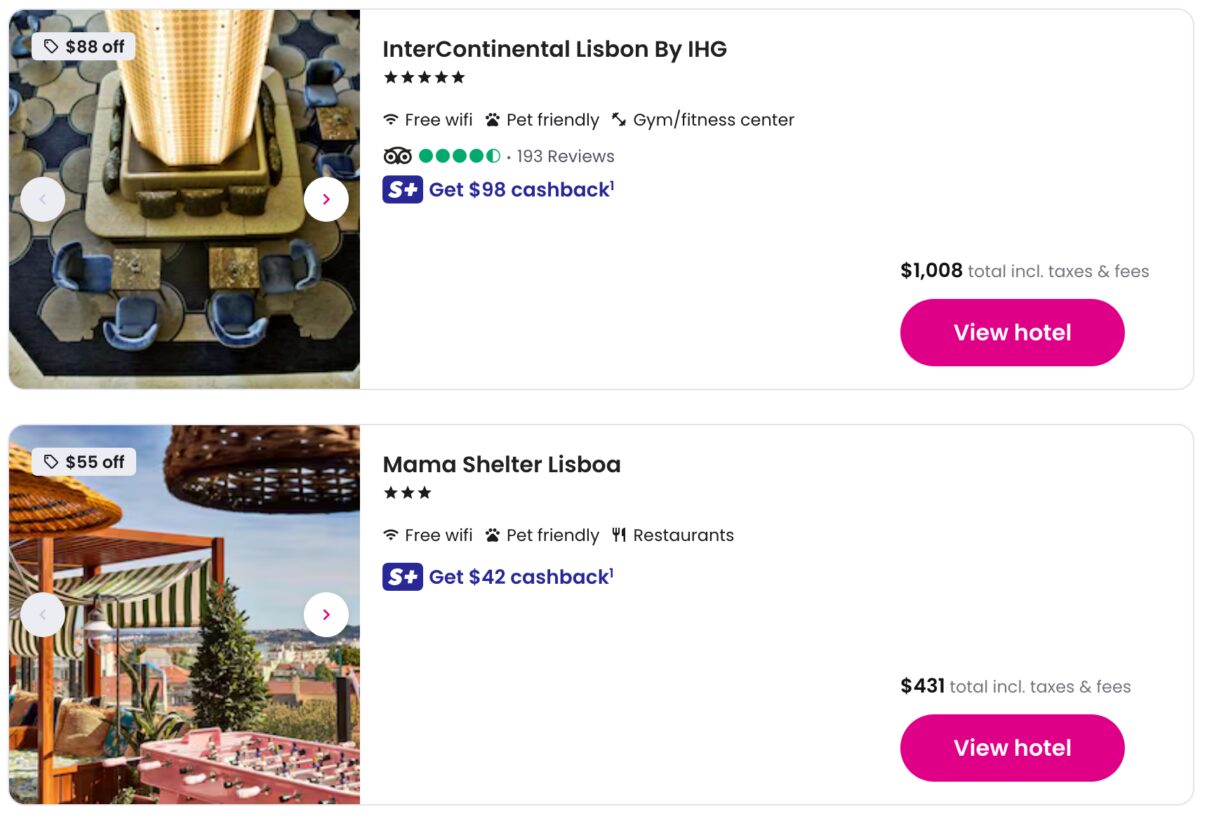
- replaces the nightly price on map pins with the total stay price
- bolds the total price on list cards and dims the nightly rate
- bolds the total price on hotel detail rate cards and hides the "total savings" row
- collapses the strikethrough and nightly lines on detail price cards until you hover
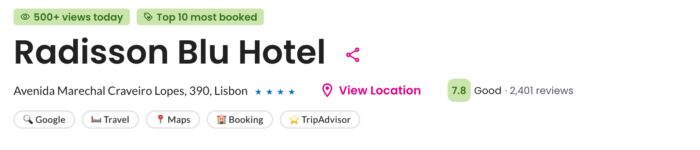
- adds Google, Travel, Maps, Booking, and TripAdvisor search buttons on hotel detail pages, using your dates and guest count
Runs on super.com/home/travel* and super.com/travel/*.
Limitations
- map pin totals depend on the map view data Super.com loads, and are matched to pins by nightly price
- the detail page search buttons appear under the address row (the one with the "View Location" control) and need that control to be on screen
Questions or feedback about Super.com Userscripts? Get in touch.